

Tin Can Kids Phone Safety comes down to one rule: only approved contacts can put calls through to this $100 WiFi landline. Parents manage that list in a companion app, with quiet hours and call logs alongside it. Readers learn how the controls, plans and setup requirements fit together before buying.
Key Takeaways
- Calls between approved Tin Cans are free, while regular numbers require the $9.99 monthly Party Line Plan.
- Quiet hours disable calls in both directions, though 911 stays available.
- Tin Can says emergency calling may be limited during power or internet outages.
- Setup needs 2.4GHz WiFi, a standard wall outlet and the parents only companion app.
Tin Can is a WiFi landline for kids, with no screen, no apps and no texting. Tin Can says only approved contacts can put calls through to the phone, and parents manage that list through a parents only companion app.
The device is $100 at time of writing, and calls between Tin Cans are free. A Party Line Plan at $9.99 per month adds calling to approved regular numbers. This guide looks at how those controls work, so you can decide whether the phone fits your family.
Who Can Actually Call Your Child?

Most kids’ phones start with a screen and then try to limit it. Tin Can goes the other way. It is a WiFi landline for kids with no apps, no texting and no screens, built around one question: who is allowed to ring?
Tin Can says only approved contacts can put calls through to the phone, and parents choose that list in the companion app. A stranger, a scammer or a wrong number is not on it.
Here is how that works in practice.
How Approved Contacts Work

The approved list is the heart of Tin Can. Parents manage it through the parents only companion app, which is available on iOS and Android. Nothing on the phone itself lets a child add a number.
Calls In and Out
- Approval covers both directions, so the same list controls who can call in and who the phone can call.
- Tin Can says anyone not on the list, such as strangers or scammers, can’t reach the phone.
- Speed dial gives each favorite person their own number, so a child can reach them quickly.
Speed dial is a convenience on top of the list, not a way around it. Only approved contacts can be dialed.
Other Tin Cans and Regular Numbers
- Can2Can calling: other Tin Cans must be approved too, and calls between approved Tin Cans are free with no subscription.
- Party Line Plan: regular numbers, such as cell phones and landlines, can only be added as approved contacts on this plan, which is $9.99 per month at time of writing.
Without the Party Line Plan, the phone stays within the Tin Can network, plus emergency services.
Quiet Hours and Call Logs

Who can call is one control. When they can call is another, and Tin Can handles it in the same companion app.
- Calling hours: parents set when the phone is available, so it is not ringing all evening.
- Quiet hours: a schedule, or a Do Not Disturb setting, that fully disables both incoming and outgoing calls.
- Call logs: the app shows who called whom and for how long.
Quiet hours are a full stop on calls in both directions, which makes them a fit for bedtime or study time. The one exception is 911, which still works during quiet hours if it is enabled.
The call log gives parents a simple record of the phone’s activity, including which friends or relatives are ringing and who might need a call back.
What Tin Can Leaves Out on Purpose
Tin Can’s safety story is as much about what the phone does not have as what it does. There is no screen, no apps, no texting and no games. Tin Can’s company description adds that there is no browser, no app store and no camera. It is voice only.
The phone is also deliberately not cordless. Tin Can says conversations are richer when kids are not running around, and that the cord keeps the phone away from the dinner table. It plugs into a standard wall outlet, so it stays in one spot in the home, much like the landlines it is modeled on.
Emergency Calling
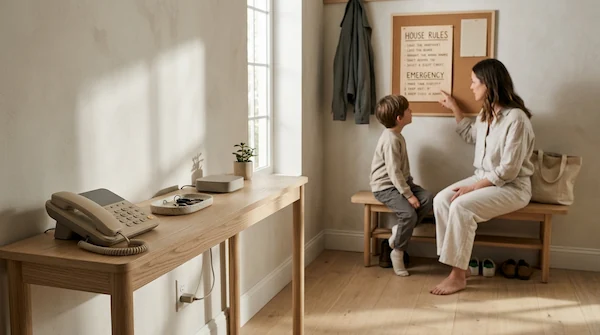
Calling 911 is free with every Tin Can, on both the Can2Can Plan and the Party Line Plan, and it is always enabled. During setup, parents configure an emergency address so that emergency services can route help to the right location faster.
Tin Can is clear about one limit. Because the phone runs on WiFi and a wall outlet, contacting emergency services may be unavailable or limited during power outages, internet disruptions or other network issues. Tin Can recommends always having an alternative way to contact emergency services.
In practice, that means treating the phone as one option in a household’s emergency plan, not the only one.
What You Need Before You Plug It In
Setup takes three things, and none of them is a phone line.
- The Tin Can companion app: the parents only app for setting up and managing your Tin Can, available on iOS and Android.
- A 2.4GHz WiFi connection: Tin Can runs on your home’s 2.4GHz WiFi band.
- A standard wall outlet: plug it into any regular outlet. No phone jack is required.
Tin Can looks like a classic landline but runs entirely on WiFi. Connect it through the app, and you are ready to ring.
Tin Can and Its Plans: What You Are Choosing
Tin Can is one phone with two ways to use it, plus a bulk program for groups. This section looks at the device, the free Can2Can Plan, the Party Line Plan and Tin Can Communities. Each one is covered with its key features and US pricing at time of writing, so you can see what you are signing up for.
Tin Can

Tin Can is a WiFi landline for kids with no screens, texting or apps. It suits parents who want a child to call friends and family on their own, with calls limited to contacts the parents approve in the companion app. The cord keeps it in one spot at home, and it plugs into a standard wall outlet with no phone jack needed.
- Approved contacts only, managed in the parents only Tin Can app
- Speed dial, voicemail and speakerphone built in
- Calling hours and quiet hours, plus call logs in the app
- Free calling to other Tin Cans and to 911 on the Can2Can Plan, with no subscription
- Four colors: Answer Me Aquamarine, Static White, Landline Lemon and Later Alligator Lilac
Price: $100 at time of writing. The product page shows a multi device discount of 5% off two ($95 each) and 10% off three or more ($90 each). It ships in 3 business days with a 45 day return window, and the first month of the $9.99 per month Party Line Plan is free. Check the product page for current terms.
Can2Can Plan
The Can2Can Plan is the free calling option that comes with every Tin Can. It suits families whose kids’ friends or relatives also have a Tin Can, because calls stay within the Tin Cans you approve. There is no subscription to manage.
- Free calling to other approved Tin Cans
- No subscription required
- Includes 911 calling
- Same parental controls as the paid plan: approved contacts, quiet hours and call logs in the app
Price: Free with the $100 Tin Can at time of writing. It requires a valid account and is subject to Tin Can’s terms of service. Calling to regular phone numbers needs the Party Line Plan instead.
Party Line Plan
The Party Line Plan is the paid option that lets a child call regular phone numbers, such as grandparents, friends and a parent’s cell phone. It suits families whose important contacts do not have a Tin Can. The approval rule still applies, so every number must be approved before it can call or be called.
- Call approved regular numbers, including cell phones and landlines
- Calls to other approved Tin Cans still work
- Includes 911 calling
- Parents manage every number in the companion app
Price: $9.99 per month at time of writing. The product page shows the first month free with a new Tin Can. The plan requires a valid account and is subject to certain restrictions and Tin Can’s terms of service, so check the product page for current terms.
Who It Suits and What to Know
Tin Can is aimed at younger kids who want to call people on their own but are not ready for a smartphone. Tin Can’s LinkedIn page says it is built for ages 4 to 13, and CEO Chet Kittleson has described the target as ages 5 to 12.
Parents quoted on Tin Can’s official site, which are the company’s own selection of testimonials, describe how it works at home. One says their 7 and 9 year olds are happier with the purchase and that their daughter calls her out of state grandparents nearly daily. Another says their 9 year old no longer asks about a cell phone because she can reach friends and grandparents whenever she wants.
A few planning points help before you buy:
- Someone to call: the other child needs a Tin Can, or an approved regular number added on the Party Line Plan.
- The setup: the phone depends on WiFi, a wall outlet and the parents only companion app.
- A set spot: the cord keeps it in one place at home.
Buying Tin Can in the US

Tin Can is sold directly through its own website. These are the purchase terms shown on the US product page at time of writing.
- Price: $100 for the device.
- Shipping: ships in 3 business days.
- Returns: 45 day return window. Read the official return policy for full terms.
- Party Line Plan: the first month is free, then $9.99 per month.
The product page also shows a price reduction for buying more than one device. The display was garbled when checked, so verify the discount on the product page before relying on it.
Check the product page and policy pages for current terms before you order.
Summary
This guide covered Tin Can, a $100 WiFi landline for kids, along with the free Can2Can Plan and the $9.99 per month Party Line Plan. It also looked at Tin Can Communities, where group pricing starts at 25 phones. The US product page lists shipping in 3 business days and a 45 day return window.
The approved contacts list is the standout feature. Tin Can says only approved contacts can put calls through, and parents manage that list in the companion app. Quiet hours fully disable incoming and outgoing calls, 911 still works, and call logs show who called whom and for how long.
Two points are worth acting on before ordering. First, check that the people your child wants to call have a Tin Can or can be added as approved regular numbers on the Party Line Plan. Second, confirm you have 2.4GHz WiFi, a standard wall outlet and the companion app ready, and keep an alternative way to reach emergency services, since Tin Can notes that outages can limit 911 access.